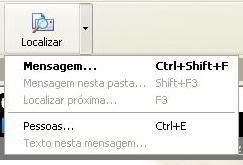
Na minha versão de 5Win este recurso não era possivel, então fiz algumas alterações na classe ToolBar.prg para permitir um menu.
Código: Selecionar todos
// Win32 common controls ToolBar

#include "FiveWin.ch"

#define CCS_NORESIZE              4
#define CCS_NODIVIDER            64 // 0x0040
#define CCS_LEFT                129 // 0x0081
#define TBSTYLE_TRANSPARENT   32768 // 0x8000
#define TBSTYLE_FLAT           2048 // 0x0800
#define TBSTYLE_TOOLTIPS        256 // 0x0100

#define TB_CHECKBUTTON         1026
#define TB_ISBUTTONCHECKED     1034
#define TB_SETSTATE            1041
#define TB_AUTOSIZE            1057
#define TB_CHANGEBITMAP        1067
#define TB_SETIMAGELIST        1072
#define TB_SETSTYLE            1080
#define TB_GETSTYLE            1081
#define TB_SETMAXTEXTROWS      1084

#define TBSTATE_CHECKED           1
#define TBSTATE_PRESSED           2
#define TBSTATE_ENABLED           4

#define TTN_GETDISPINFO        -530
#define TTS_BALLOON              64 // 0x0040
#define WM_ERASEBKGND            20
#define GWL_STYLE               -16

//----------------------------------------------------------------------------//

CLASS TToolBar FROM TControl

   DATA   nBtnWidth, nBtnHeight
   DATA   aButtons
   DATA   oImageList
   DATA   lTTBalloon

   METHOD New( oWnd, nBtnWidth, nBtnHeight, oImageList, lTTBalloon ) CONSTRUCTOR

   METHOD Create()

   METHOD AddButton( bAction, cToolTip, cText, bWhen, cMsg, ;
          oPopup ) //********************* KONECTIVA AUTOMACAO

   METHOD AddSeparator() INLINE TBAddSeparator( ::hWnd )

   METHOD ChangeBitmap( nButton, nImage ) INLINE ;
             SendMessage( ::hWnd, TB_CHANGEBITMAP, nButton, nMakeLong( nImage - 1, 0 ) )

   METHOD Command( nWParam, nLParam )

   #ifndef __C3__
      METHOD Display() INLINE ::BeginPaint(), ::Paint(), ::EndPaint(), 0
   #endif

   METHOD EnableButton( nButton, lOnOff ) INLINE ;
             TBEnableButton( ::hWnd, nButton, lOnOff )

   #ifndef __C3__
      METHOD EraseBkGnd( hDC ) INLINE 1
   #endif

   METHOD GotFocus() INLINE 1  // To avoid getting focus!

   METHOD RButtonDown() VIRTUAL

   METHOD MouseMove() VIRTUAL

   METHOD Notify( nIdCtrl, nPtrNMHDR )

   #ifndef __C3__
      METHOD Paint()
   #endif

   METHOD SetMessage( nButton, cMsg ) INLINE ;
          ::aButtons[ nButton ][ 3 ] := cMsg

   METHOD SetTooltip( nButton, cToolTip ) INLINE ;
          ::aButtons[ nButton ][ 2 ] := cToolTip

   METHOD SetTextRows( nRows ) INLINE ::SendMsg( TB_SETMAXTEXTROWS, nRows, 0 ),;
                                      ::SendMsg( TB_AUTOSIZE, 0, 0 )

   METHOD SetPressed( nButton, lOnOff ) INLINE ;
          ::SendMsg( TB_SETSTATE, nButton, If( lOnOff, TBSTATE_PRESSED, TBSTATE_ENABLED ) )

   METHOD SetChecked( nButton, lOnOff ) INLINE ;
          If( lOnOff, ::SendMsg( TB_CHECKBUTTON, nButton, TBSTATE_CHECKED ),;
                      ::SendMsg( TB_SETSTATE, nButton, TBSTATE_ENABLED ) )

   METHOD IsChecked( nButton ) INLINE ::SendMsg( TB_ISBUTTONCHECKED, nButton ) != 0

   METHOD ToggleCheck( nButton ) INLINE ;
      ::SetCheck( nButton, ! ::IsChecked( nButton ) ), ::IsChecked( nButton )

ENDCLASS

//----------------------------------------------------------------------------//

METHOD New( oWnd, nBtnWidth, nBtnHeight, oImageList, lTTBalloon ) CLASS TToolBar

   DEFAULT oWnd := GetWndDefault(), nBtnWidth := 33, nBtnHeight := 33,;
           lTTBalloon := .f.

   ::oWnd = oWnd
   ::nId  = ::GetNewId()
   ::nBtnWidth  = nBtnWidth
   ::nBtnHeight = nBtnHeight
   ::aButtons = {}
   ::oImageList = oImageList
   ::lDrag = .f.
   ::lTTBalloon := lTTBalloon

   if Upper( oWnd:ClassName() ) != "TREBAR"
      oWnd:oTop = Self
   endif

   InitCommonControls()

   if ! Empty( oWnd:hWnd )
      ::Create()
      ::nHeight = nBtnHeight + 3
      oWnd:AddControl( Self )
      if oImageList != nil
         SendMessage( ::hWnd, TB_SETIMAGELIST, 0, oImageList:hImageList )
      endif
   else
      oWnd:DefControl( Self )
   endif

return Self

//----------------------------------------------------------------------------//

METHOD AddButton( bAction, cToolTip, cText, bWhen, cMsg, ;
                  oPopup ) CLASS TToolBar //********************* KONECTIVA AUTOMACAO

   AAdd( ::aButtons, { bAction, cToolTip, cMsg, ;
                       oPopup } ) //********************* KONECTIVA AUTOMACAO

   TBAddButton( ::hWnd, Len( ::aButtons ), Len( ::aButtons ), cText )

   if bWhen != nil .and. ! Eval( bWhen )
      ::EnableButton( Len( ::aButtons ), .f. )
   endif

return nil

//----------------------------------------------------------------------------//

METHOD Create() CLASS TToolBar

   local nTransStyle := If( ! Upper( ::oWnd:ClassName() ) $ ;
                            "TWINDOW,TMDIFRAME,TMDICHILD", TBSTYLE_TRANSPARENT, 0 )

   ::hWnd = CreateTlBar( ::oWnd:hWnd, ::nId, ::nBtnWidth, ::nBtnHeight )

   if ::hWnd == 0
      WndCreateError( Self )
   else
      SendMessage( ::hWnd, TB_SETSTYLE, 0, nOr( SendMessage( ::hWnd, TB_GETSTYLE ),;
         TBSTYLE_FLAT, nTransStyle, TBSTYLE_TOOLTIPS, CCS_NODIVIDER, CCS_NORESIZE ) )
      ::Link()
   endif

return nil

//----------------------------------------------------------------------------//

METHOD Command( nWParam, nLParam ) CLASS TToolBar

   local nNotifyCode, nID, hWndCtl
   local bAction

   #ifdef __CLIPPER__
      nNotifyCode = nHiWord( nLParam )
      nID         = nWParam
      hWndCtl     = nLoWord( nLParam )
   #else
      nNotifyCode = nHiWord( nWParam )
      nID         = nLoWord( nWParam )
      hWndCtl     = nLParam
   #endif

   if GetClassName( hWndCtl ) == "ToolbarWindow32"
      if ( bAction := ::aButtons[ nID ][ 1 ] ) != nil

         //if len(::aPopup) > 0     //********************* KONECTIVA AUTOMACAO
            if ::aButtons[ nID ][ 4 ] != nil // if len(::aPopup) >= nID
               nTop  := ::nBtnHeight
               nLeft := (::nBtnWidth*(nID-1)) + ((::nBtnWidth/3)*(nID-1))
               ::aButtons[ nID ][ 4 ]:Activate( nTop, nLeft, ::oWnd, .f. )
               ::oWnd:oPopup := nil
            else
               Eval( bAction, Self )
            endif
         //else
         //   Eval( bAction, Self )
         //endif                    //********************* KONECTIVA AUTOMACAO

      endif
   endif

return nil

//----------------------------------------------------------------------------//

METHOD Notify( nIdCtrl, nPtrNMHDR ) CLASS TToolBar

   local nCode := GetNMHDRCode( nPtrNMHDR ), nId, nHWndFrom, nStyle

   do case
      case nCode == TTN_GETDISPINFO
           nId = GetNMHDRIdFrom( nPtrNMHDR )
           TTNSetText( nPtrNMHDR, ::aButtons[ nId ][ 2 ] )
           if ! Empty( ::aButtons[ nId ][ 3 ] )
              ::SetMsg( ::aButtons[ nId ][ 3 ] )
           else
              ::SetMsg( nil )
           endif
           if ::lTTBalloon
              nHWndFrom = GetNMHDRHWndFrom( nPtrNMHDR )
              if ! lAnd( nStyle := GetWindowLong( nHWndFrom, GWL_STYLE ), TTS_BALLOON )
                 SetWindowLong( nHWndFrom, GWL_STYLE, TTS_BALLOON )
              endif
           endif
   endcase

return nil

//----------------------------------------------------------------------------//

#ifndef __C3__
METHOD Paint() CLASS TToolBar

   local aInfo := ::DispBegin()

   if ::oBrush != nil
      FillRect( ::hDC, GetClientRect( ::hWnd ), ::oBrush:hBrush )
   else
      CallWindowProc( ::nOldProc, ::hWnd, WM_ERASEBKGND, ::hDC, 0 )
   endif
   CallWindowProc( ::nOldProc, ::hWnd, WM_PAINT, ::hDC, 0 )

   ::DispEnd( aInfo )

return 1
#endif