HI, I HAVE THIS NUMERICAL TEXTBOX AND I WOULD LIKE TO CHANGE IT TO MEMO
SOMEONE HELP ME? THANK YOU
@ 60.85 TEXTBOX TEXT_1;
WIDTH 50;
FIELD OPERATOR-> PROGRESS;
NUMERIC;
MAXLENGTH 10
TEXTBOX MEMO
Moderador: Moderadores
-
axelfolley
- Usuário Nível 1

- Mensagens: 4
- Registrado em: 19 Fev 2022 11:02
- Localização: italy
-
alxsts
- Colaborador

- Mensagens: 3169
- Registrado em: 12 Ago 2008 15:50
- Localização: São Paulo-SP-Brasil
- Curtiram: 5 vezes
TEXTBOX MEMO
Olá!
Benvenuto Axelfolley!
I think you should use an Editbox instead of a Textbox.
See exemple here.
There are examples in the samples folder of your Minigui inatallation.
Good luck!
Benvenuto Axelfolley!
I think you should use an Editbox instead of a Textbox.
See exemple here.
There are examples in the samples folder of your Minigui inatallation.
Good luck!
[]´s
Alexandre Santos (AlxSts)
Alexandre Santos (AlxSts)
-
axelfolley
- Usuário Nível 1
- Mensagens: 4
- Registrado em: 19 Fev 2022 11:02
- Localização: italy
TEXTBOX MEMO
thanks for the quick reply
But I would need an example for MEMO cells.
In the Minigui examples folder I have seen, but there is nothing for the Memo field
Do you have something please
Also I would like to insert the multiline command in this example. do you have something for this too
Thanks again
But I would need an example for MEMO cells.
In the Minigui examples folder I have seen, but there is nothing for the Memo field
Do you have something please
Also I would like to insert the multiline command in this example. do you have something for this too
Thanks again
-
alxsts
- Colaborador
- Mensagens: 3169
- Registrado em: 12 Ago 2008 15:50
- Localização: São Paulo-SP-Brasil
- Curtiram: 5 vezes
TEXTBOX MEMO
Olá!
I personally use HwGui and I don't have a deep knowledge in Minigui. I don't even know if this is possible. Let's wait for help from someone else.
Do mean a TSBROWSE or GRID containing a MEMO inside one of it's cells?axelfolley escreveu:But I would need an example for MEMO cells.
I personally use HwGui and I don't have a deep knowledge in Minigui. I don't even know if this is possible. Let's wait for help from someone else.
[]´s
Alexandre Santos (AlxSts)
Alexandre Santos (AlxSts)
-
axelfolley
- Usuário Nível 1
- Mensagens: 4
- Registrado em: 19 Fev 2022 11:02
- Localização: italy
TEXTBOX MEMO
Thanks for the support you have given me so far.
I'll explain.
I have a dbase which has columns of character and memo type cells.
To load data into character format cells I use that textbox program listing I posted at the beginning.
That listing should be edited to write in memo cells.
I think it can be done because I found examples for character, number, date cells but I am missing an example for memo cells
Thank you
I'll explain.
I have a dbase which has columns of character and memo type cells.
To load data into character format cells I use that textbox program listing I posted at the beginning.
That listing should be edited to write in memo cells.
I think it can be done because I found examples for character, number, date cells but I am missing an example for memo cells
Thank you
-
alxsts
- Colaborador
- Mensagens: 3169
- Registrado em: 12 Ago 2008 15:50
- Localização: São Paulo-SP-Brasil
- Curtiram: 5 vezes
TEXTBOX MEMO
Olá!
See Editbox example at the link I posted above.
Assuming you're refering to DBF tables, memo fields are character strings with a size greather than regular character data type ones. So I think you should use Editbox controls for memo cells. Define the editbox. Load the memo cell from table into it the same way you'do for a char cell. Let user edit it and write it back to your table.axelfolley escreveu:I have a dbase
See Editbox example at the link I posted above.
[]´s
Alexandre Santos (AlxSts)
Alexandre Santos (AlxSts)
-
axelfolley
- Usuário Nível 1
- Mensagens: 4
- Registrado em: 19 Fev 2022 11:02
- Localização: italy
TEXTBOX MEMO
I do not think the solution with the EDIT option that you have indicated is suitable for the MEMO component as after three lines of characters it does not accept other entries (the Memo field instead loads many more characters).
Your indication with the EDIT field was however very useful to solve the other problem that was to manage multilines in a TEXT form (with this system they now work). Thanks for the support anyway. Eventually I await some other suggestions for the problem of the MEMO field
Your indication with the EDIT field was however very useful to solve the other problem that was to manage multilines in a TEXT form (with this system they now work). Thanks for the support anyway. Eventually I await some other suggestions for the problem of the MEMO field
-
Itamar M. Lins Jr.

- Administrador

- Mensagens: 8176
- Registrado em: 30 Mai 2007 11:31
- Localização: Ilheus Bahia
- Curtiu: 6 vezes
- Curtiram: 1 vez
TEXTBOX MEMO
Hi!
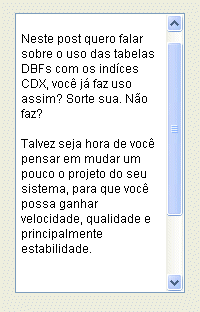
See this:
From https://hmglights.wordpress.com/2010/10 ... o-editbox/
Via google translator:
Itamar M. Lins Jr.
See this:
Código: Selecionar todos
 DEFINE EDITBOX Edit_1
        ROW    30
        COL    40
        WIDTH  170
        HEIGHT 280
        VALUE ""
        FONTNAME "Arial"
        FONTSIZE 9
        TOOLTIP ""
        ONCHANGE Nil
        ONGOTFOCUS Nil
        ONLOSTFOCUS Nil
        FONTBOLD .F.
        FONTITALIC .F.
        FONTUNDERLINE .F.
        FONTSTRIKEOUT .F.
        HELPID Nil
        TABSTOP .T.
        VISIBLE .T.
        READONLY .F.
        HSCROLLBAR .F.
        VSCROLLBAR .T.
        DISABLEDBACKCOLOR Nil
        DISABLEDFONTCOLOR Nil
        BACKCOLOR Nil
        FONTCOLOR Nil
    END EDITBOX
Via google translator:
Best regards,This has already been a question of mine, I searched many times and it went unnoticed by me, I think the reason was to have used other programming languages, where this option is normally treated as automatic line wrapping, but here it is simply enough to define that the component will not have horizontal scroll to have the line break and the reverse to not have the line break. It's quite logical, but it can go unnoticed if we don't pay attention.
Itamar M. Lins Jr.
Saudações,
Itamar M. Lins Jr.
Itamar M. Lins Jr.